
TL;DR
Excel is still worth learning in 2026, and AI has made it more valuable. Copilot can build spreadsheets, but employers need people who can check AI’s work and turn data into decisions. Focus on XLOOKUP, PivotTables, Power Query, dashboards and Copilot, then move on to SQL and Power BI.
The short answer: yes, but not the Excel you learned in college
It’s one of the questions students and working professionals ask our counsellors most often: “AI can build a spreadsheet in seconds now. Is Excel still worth learning?”
It’s a fair question. In 2026, you can type “build me a monthly sales dashboard” into Copilot and watch Excel create the tables, formulas and charts for you. ChatGPT can write a VLOOKUP faster than most freshers can spell it.
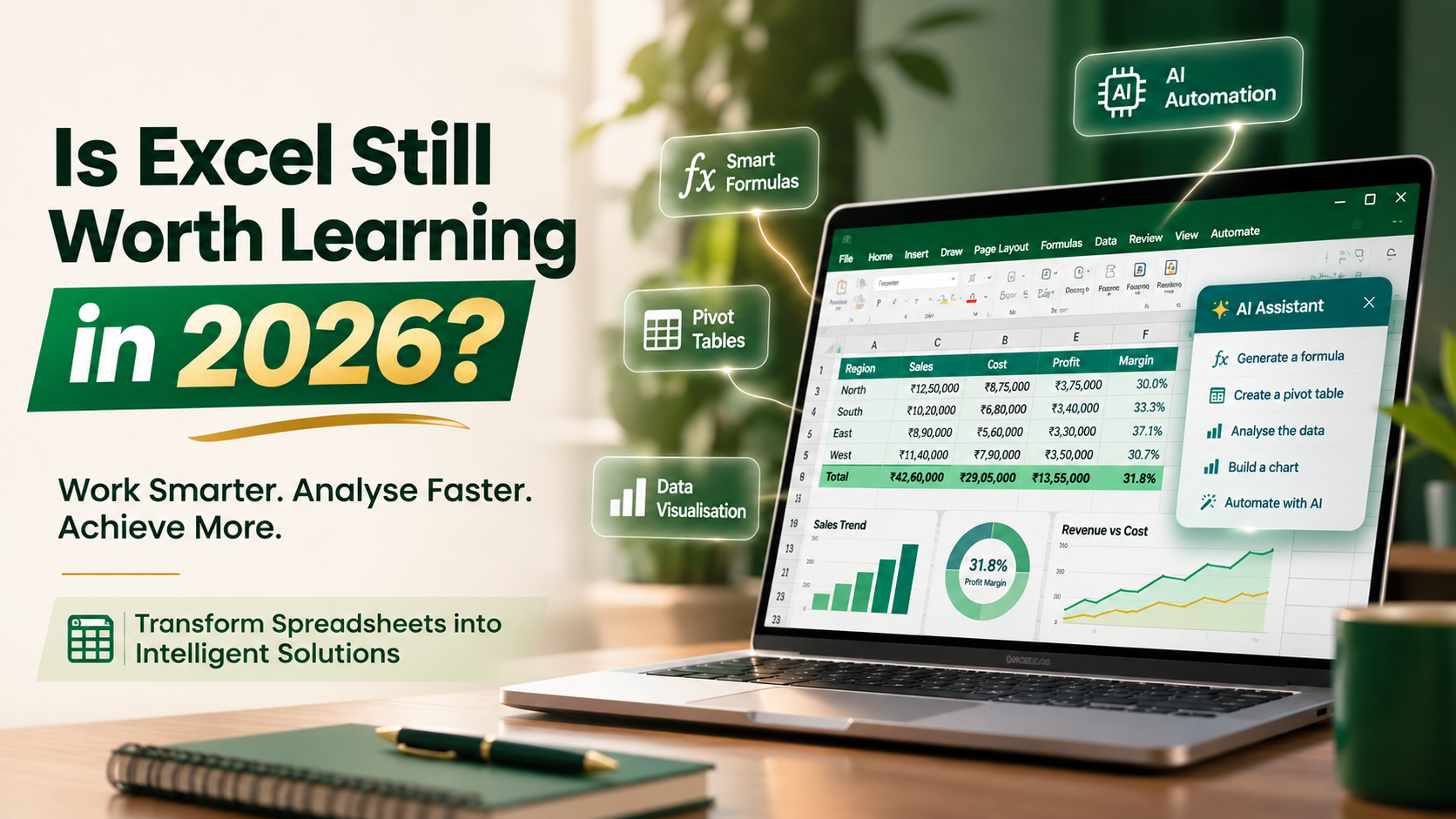
So here is the honest answer, upfront: Excel is still worth learning in 2026, and AI has made it more valuable, not less. What has changed is which Excel skills matter. Typing data into cells is fading. Understanding data, checking AI’s work and turning numbers into decisions is where the jobs are.
In this career reality check, we’ll cover what AI can and can’t do inside Excel, what hiring data says, which Excel skills employers want in 2026, and how to learn Excel the way the job market now expects.
Will AI replace Excel? Here’s what AI actually does inside Excel
AI is not replacing Excel. It is moving into Excel.
In January 2026, Microsoft made Agent Mode in Excel generally available across Excel for the web, Windows and Mac. Agent Mode lets you describe a task in plain English, and Copilot plans the steps and builds the workbook for you: tables, formulas, PivotTables and charts. Users with eligible licences can even choose between OpenAI and Anthropic (Claude) models to do the work. By March 2026, Microsoft folded it into Copilot in Excel itself, so it’s no longer a separate mode.
Here’s what that means in practice:
| Task | Who does it best in 2026 |
| Writing a formula from scratch | AI, in seconds |
| Building a first-draft dashboard or report | AI, with clear instructions |
| Cleaning messy data | AI + human: AI suggests, you verify |
| Deciding which numbers matter to the business | Human |
| Spotting a wrong formula or a figure that “looks off” | Human with strong Excel fundamentals |
| Explaining the numbers to a manager or client | Human |
Notice the pattern. AI is excellent at producing spreadsheets. It is not responsible for whether they’re right. Your manager won’t accept “Copilot made it” as an excuse for a wrong GST figure or a broken forecast. The person who understands Excel deeply is the one who can catch the error before it reaches the client.
Can ChatGPT do Excel work? Partly. It can write formulas, explain functions and draft macros. But it can’t see your company’s data, doesn’t know your business context and can’t take accountability for the output. That still needs a skilled human.
Excel vs AI: what the hiring data really says
If AI were making Excel obsolete, you’d expect employers to stop asking for it. The opposite is happening.
In 2025, Course Report analysed more than 12 million tech job postings on Indeed. Excel was the most-cited skill of all, far ahead of programming languages and AI skills:
| Skill | Mentions in 12M+ tech job postings (2025) |
| Microsoft Excel | 531,000 |
| Python | 67,000 |
| SQL | 60,000 |
| Machine learning | 31,000 |
| AI | 25,000 |
That’s nearly 8 times more postings asking for Excel than for Python, and over 20 times more than for “AI” itself. Even in tech hiring, Excel remains the common language of business data.
The World Economic Forum’s Future of Jobs Report 2025 adds the other half of the picture. It names analytical thinking as the top core skill employers want, with seven in ten companies calling it essential. It lists AI and big data as the fastest-growing skill. And it expects data entry clerks to be among the fastest-declining roles.
Put those together and the message is clear:
-
- Excel as data entry is shrinking. AI and automation are taking it over.
-
- Excel as analysis is growing. It’s how most businesses apply analytical thinking every day.
-
- Excel + AI is the new baseline. Employers want people who can use Copilot and still understand what’s happening underneath.
The real competition in 2026 isn’t Excel vs AI. It’s professionals who use Excel with AI vs professionals who don’t.
Excel skills for jobs in 2026: what’s in demand for freshers and professionals
Knowing SUM and basic formatting no longer makes your resume stand out. Here are the Excel skills employers increasingly expect in 2026, grouped by level.
| Level | Skills to master | Why it matters in 2026 |
| Foundation | Clean data structure, Excel Tables, sorting and filtering, conditional formatting, data validation | AI tools work far better on clean, well-structured data |
| Core analysis | XLOOKUP, INDEX-MATCH, IF/IFS, SUMIFS/COUNTIFS, text and date functions | You need these to read, check and fix what AI writes |
| Reporting | PivotTables, Pivot Charts, slicers, interactive dashboards | The backbone of MIS reporting in almost every company |
| Automation | Power Query, dynamic arrays (FILTER, UNIQUE, SORT), basic macros | Turns hours of repetitive work into one-click refreshes |
| AI-powered Excel | Copilot in Excel, prompting for formulas and analysis, verifying AI output | The new skill that separates you from other candidates |
| Next step | Power BI, Python in Excel, SQL basics | Your bridge into data analyst and business analyst roles |
Is Excel enough to get a job in India? For many entry-level roles in operations, finance, sales support and MIS, strong Excel skills alone can get you shortlisted. For data analyst roles, Excel is the essential starting point. Pair it with SQL and Power BI to become a strong candidate.
A quick tip for freshers: don’t just write “Proficient in MS Excel” on your resume. Recruiters see that line on every CV. Write what you built instead, for example: “Built an automated sales dashboard using Power Query and PivotTables that cut weekly reporting time from 3 hours to 15 minutes.”
Excel for data analysts, finance and accounting careers
Excel’s value depends on where you want to go. Here’s how it plays out across the career paths our students most often choose.
Data analyst and business analyst. Excel is still the first tool most analysts open. An analysis of 2,893 data analyst job postings found Excel in 39% of them, ahead of SQL (31%), Tableau (21%) and Python (14%). Analysts use Excel for quick exploration, ad-hoc requests from managers and sharing results with non-technical teams. Learn Excel first, then add SQL, Power BI and Python.
Finance, accounting and commerce graduates. If you’re a B.Com, BBA, CA, CMA or ACCA student, Excel isn’t optional. Financial statements, budgeting, reconciliations, GST working and MIS reports all live in Excel. Financial modelling and valuation, one of the best-paid finance skills, is built almost entirely in Excel. AI can speed up a model, but auditors and investors still expect a human who understands every cell.
Operations, sales and HR. Inventory tracking, sales pipelines, attendance, payroll inputs and vendor reports are still managed in Excel at most Indian SMEs and many large companies. Professionals who can automate these reports with Power Query and Copilot quickly become the go-to person in their team.
Digital marketing. Campaign data from Google Ads, Meta Ads and GA4 usually ends up in a spreadsheet for analysis and client reporting. Marketers who can pivot, chart and explain that data move faster into senior roles.
In every path, the pattern is the same: AI handles the repetitive parts, and Excel skills let you own the analysis and the decision.
Should you learn Excel or Python in 2026?
Learn Excel first, then Python. It’s not either-or; it’s a sequence.
| Excel | Python | |
| Time to job-ready basics | 4 to 6 weeks | 3 to 6 months |
| Coding needed | No | Yes |
| Used by | Almost every business team | Data, analytics and tech teams |
| Best for | Reporting, MIS, finance, quick analysis, sharing results | Large datasets, automation at scale, machine learning |
| AI support | Copilot built in | AI coding assistants |
Excel gives you a fast, practical win and teaches you to think in rows, columns and logic. That thinking transfers directly to SQL and Python later. Microsoft has even brought Python into Excel, so the two worlds are converging.
A practical learning path for 2026:
Weeks 1 to 4: Excel foundations to advanced (formulas, PivotTables, Power Query, dashboards).
Weeks 4 to 6: Excel with AI (Copilot prompting and checking AI output).
Months 2 to 3: SQL and Power BI.
Months 3 to 6: Python for data analysis, if you’re aiming for data analyst or data science roles.
Learn Excel the 2026 way with Arivu Skills
At Arivu Skills, we built our Basic to Advanced Excel with AI course around exactly what this article describes: strong fundamentals plus the AI skills employers now expect.
| Detail | What you get |
| Duration | 1 month |
| First batch | Starts 28 November 2026 |
| Schedule | Weekends only: Saturday and Sunday, 9 am to 1 pm |
| Mode | Classroom at Malleswaram, Bengaluru, or live online from anywhere |
| Recordings | Free class recordings, valid for 6 months |
| Basic level | ₹3,500 + GST: core Excel, from formulas to PivotTables |
| Professional level | ₹5,500 + GST: adds Excel with AI, Power Query and macros |
| Professional with Grant Thornton certification | ₹7,500 + GST |
Why learners choose this course:
-
- Built for working professionals and students. Weekend-only classes fit around college or a full-time job.
-
- AI-ready, not AI-dependent. You’ll learn to use Copilot to work faster, and the fundamentals to check every result.
-
- Industry certification. The Professional with Grant Thornton option adds a recognised credential to your resume.
-
- A clear next step. Excel is the foundation for our Data Analytics, Business Analytics and Financial Modelling & Valuation programmes, so you can keep growing with us.
-
- Placement support. Explore openings on the Arivu Skills job portal once you’re job-ready.
Seats are limited for the first batch. Book a free counselling call or enquire about the Excel with AI course today.
Frequently asked questions
Is Excel still worth learning in 2026?
Yes. Excel remains one of the most requested skills in job postings, and AI tools like Copilot now work inside Excel. Learning Excel with AI makes you faster and more employable than learning either alone.
Will AI replace Excel?
No. AI is being built into Excel rather than replacing it. Copilot can create formulas, charts and reports, but businesses still need people who understand the data and can verify the results.
Can ChatGPT do Excel work?
ChatGPT can write formulas, explain functions and draft macros. It can’t access your company’s data, understand your business context or take responsibility for accuracy. Excel skills help you use it well and catch its mistakes.
Is Excel enough to get a job in India?
For many entry-level roles in operations, finance, sales support and MIS reporting, strong Excel skills can get you shortlisted. For data analyst roles, combine Excel with SQL and Power BI.
Should I learn Excel or Python first?
Learn Excel first. It’s faster to learn, needs no coding and is used by almost every business team. It also builds the logical thinking that makes Python easier later.
Which Excel skills are most in demand for freshers?
XLOOKUP, SUMIFS, PivotTables, dashboards, Power Query and Copilot in Excel. Being able to show a real project, such as an automated report, matters more than listing “MS Excel” on your resume.
How long does it take to learn advanced Excel?
With a structured course, most learners go from basics to advanced Excel in about four weeks. Arivu Skills’ Basic to Advanced Excel with AI course covers this in one month of weekend classes.
The verdict: Excel isn’t going anywhere, and neither is the need for people who master it
AI has changed how we use Excel, not whether we use it. The future of Excel is a partnership: AI builds the first draft, and a skilled professional checks it, improves it and turns it into a decision.
The people at risk aren’t those who know Excel. They’re those who only know how to type data into it. The people who’ll thrive in 2026 and beyond understand their data, use AI to move faster and can stand behind every number they share.
If you want to be in the second group, start with Excel, and learn it the way the job market now expects: with AI.
Ready to future-proof your career? Join the Arivu Skills Basic to Advanced Excel with AI course. Weekend batch starts 28 November 2026, in Malleswaram or live online.
Sources
-
- Microsoft Excel Blog: Agent Mode in Excel is now generally available on desktop (January 2026)
-
- Microsoft Excel Blog: What’s New in Excel (February 2026)
-
- Business Insider: One of the most in-demand skills in Silicon Valley is a software program released 40 years ago (September 2025, citing Course Report)
-
- World Economic Forum: Future of Jobs Report 2025 digest
-
- Avery Smith, via Recapio: Analysis of 2,893 data analyst job postings