Data Analytics Course in Chennai

Become a skilled Data Analyst with hands-on training, real projects, and dedicated placement support in Chennai. Learn the most in-demand data analytics tools and build a career in one of today’s fastest-growing fields.
Talk to a Consultant
Fill in the details to get started
Key Features of Data Analytics Course
- 100% Placement Assessment
- Guaranteed Internship
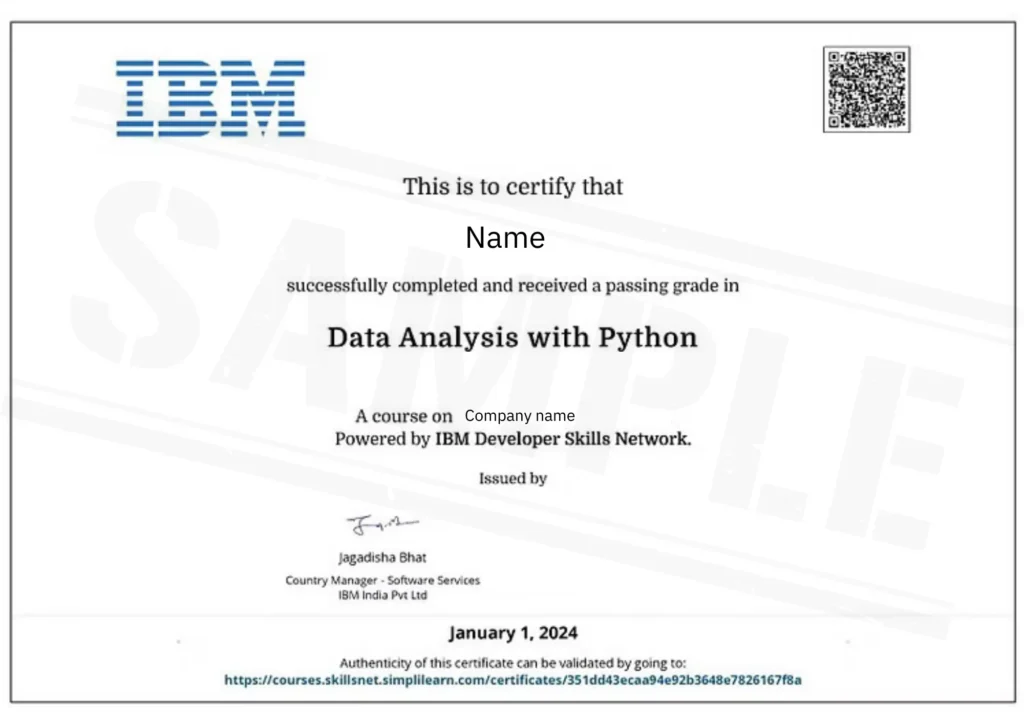
- IBM Certification
- Complete Hands-On Training
- Mock Interviews
- Complete Hands-on Training
- 5 Tools Specialization
- 24-Hour Doubt Clarification
Why Choose ArivuSkills?
100% Placement Assistance
Get complete support with resume building, interview prep, and job opportunities.
Guaranteed Internship
Gain real industry exposure through a guaranteed internship program.
Mock Interviews
Attend real-time mock interviews to build confidence and crack job interviews.
IBM Certification
Earn a globally recognized IBM certification to boost your career credibility.
Complete Hands-on Training
Learn by doing with practical sessions, live exercises, and real projects.
Capstone Project
Work on a real-world capstone project to showcase your end-to-end skills.
5 Tools Specialization
Master 5 in-demand tools used widely in the industry.
Industry-Relevant Curriculum
Curriculum designed based on current industry trends and job requirements.
Real-World Use Case Training
Learn through practical use cases and business scenarios.
Dedicated Mentor Support
Get continuous guidance from experienced mentors throughout the course.
24-Hour Doubt Clarification
Clear your doubts within 24 hours with dedicated support.
Career Guidance & Roadmap
Receive a clear career path and learning roadmap tailored to your goals.
Career Guidance & Roadmap
Start from basics and move to advanced concepts step by step.
Flexible Learning Path
Learn at your own pace with flexible schedules and structured modules.
Who Can Join this Course?
- Fresh Graduates looking to start a career in Data Analytics.
- Working Professionals planning to switch into analytics roles.
- Students from Any Degree Background (B.Com, BBA, B.Sc, BCA, B.Tech, MBA, etc.)
- IT & Non-IT Professionals interested in data-driven career growth
- Finance & Accounting Professionals who want to upgrade with analytics skills.
- Entrepreneurs & Business Owners seeking data-driven decision-making skills.
- Career Break Professionals looking to restart in Data Analytics.
Significant Demand Growth Since 2022
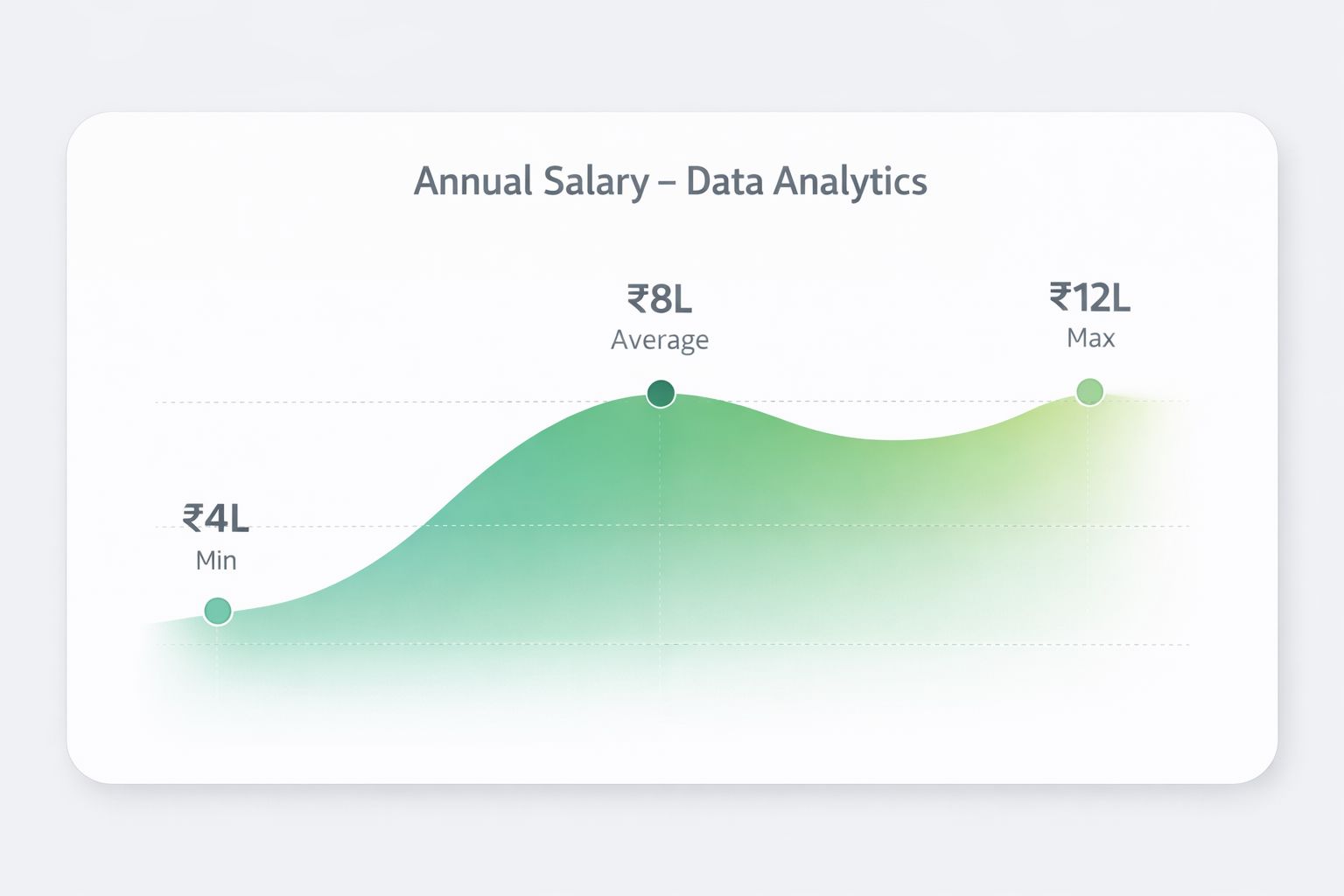
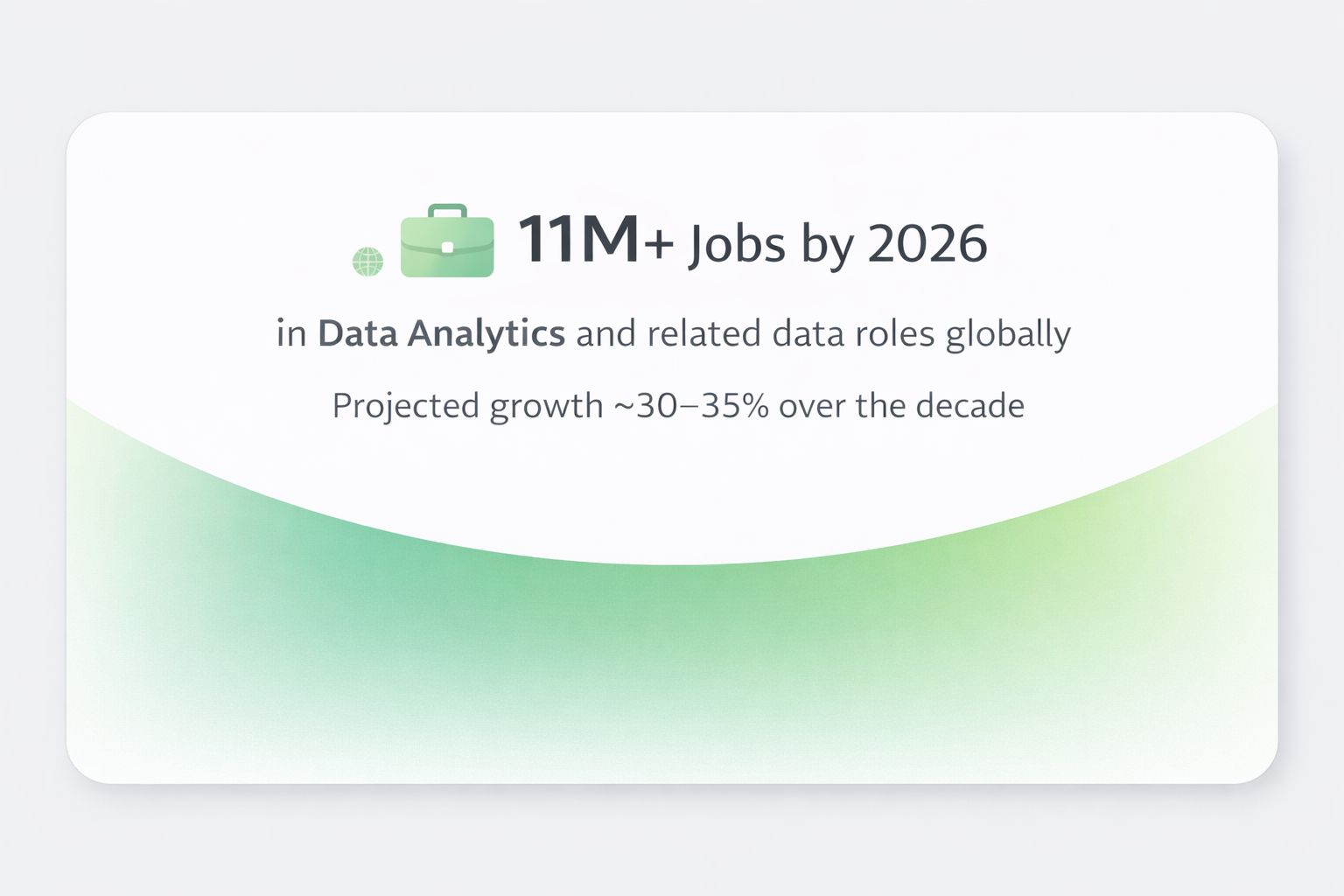
The job demand for Data Analytics is growing as companies rely on data for better decision-making and business growth. Data-related roles are projected to grow by nearly 35% over the next decade, much faster than most professions. Enter this high-demand industry with the online Data Analytics course from Arivu Skills.
Testimonials
Rajiv Singh
Nitish Sharma
Dimple Prasad
Let's walk you through the journey at ArivuSkills

Course Curriculum
Our course is designed by industry experts for excellent academic and industrial experience. We have a balanced combination of theoretical, technical, and practical knowledge for you to get the best training experience for everyone regardless of their background.
- 6 Months
Excel
➔ Excel
➔ Module 1: Data Management in Excel
– Data Cleaning and Preparation: Removing duplicates, handling missing data.
– Managing Large Datasets: Using Freeze Panes, Filters, and Excel Tables.
– Advanced Filtering and Sorting: Custom sorting and filtering techniques.
– Using Excel Tables: Structured references and data organization.
➔ Module 2: Data Analysis and Charting
– PivotTables and Pivot Charts: Creating and customizing PivotTables and charts.
– Slicers and Timelines: Dynamic filtering of PivotTables and charts.
– Advanced Charting: Creating Waterfall, Funnel, and Combo charts.
– Conditional Formatting: Highlighting data patterns with color scales and icons.
➔ Module 3: Excel Formulas
– Logical Formulas: IF, AND, OR for decision-making.
– Lookup and Reference: VLOOKUP, INDEX, MATCH, XLOOKUP.
– Mathematical and Statistical: SUM, AVERAGE, COUNTIF, STDEV.
– Text and Date Formulas: CONCATENATE, LEFT, RIGHT, DATE, NOW.
➔ Module 4: Data Validation and What-If Analysis
– Data Validation: Creating drop-down lists and setting entry rules.
– Named Ranges: Simplifying formulas and improving workbook clarity.
– What-If Analysis: Using Data Tables for scenario analysis.
– Scenario Manager and Goal Seek: Managing scenarios and reverse calculations.
➔ Module 5: Dashboard Creation and Consolidation
– Data Consolidation: Merging data from multiple sources.
– Dashboard Creation: Building interactive dashboards with PivotTables and charts.
– Advanced Excel Functions: Integrating formulas and charts in dashboards.
– Final Project: Creating a complete dashboard using learned skills.
Power BI
➔ Power BI
➔ Module 1: Introduction to Power BI
– Getting Started with Power BI Desktop and its interface.
– Importing and transforming data from different sources.
– Basic Data Modeling: Creating relationships and calculated columns.
– Creating basic visualizations and publishing reports to Power BI Service.
➔ Module 2: Data Transformation and Advanced Modeling
– Advanced Data Transformation techniques using Power Query Editor.
– Using DAX for creating calculated columns, measures, and advanced calculations.
– Working with Time Intelligence functions.
– Building complex relationships and optimizing data models for performance.
➔ Module 3: Visualizations and Reports
– Creating advanced visualizations: bar charts, line charts, pie charts, and combo charts.
– Customizing visualizations for interactive reports and dashboards.
– Using slicers, filters, and advanced formatting techniques.
– Creating reports with multiple pages and interactive features.
➔ Module 4: Power BI Service and Sharing
– Publishing reports and dashboards to Power BI Service.
– Sharing and collaborating on Power BI reports with stakeholders.
– Setting up scheduled data refresh and report distribution.
– Creating workspaces and managing security permissions in Power BI Service.
➔ Module 5: Advanced Power BI Features and Case Studies
– Integrating Power BI with Excel and other data sources.
– Using Power BI API for custom automation and embedding reports in applications.
– Advanced visualizations using custom visuals in Power BI.
– Hands-on project and case studies to build a complete Power BI solution.
Tableau
➔ Tableau
➔ Module 1: Introduction to Tableau and Data Visualization Basics
– Overview of Tableau, Tableau Desktop, and Tableau Server.
– Understanding the importance of data visualization in business analytics.
– Connecting to data sources like Excel, CSV, and databases.
– Creating basic visualizations such as bar charts, line graphs, and scatter plots.
➔ Module 2: Intermediate Data Visualization Techniques
– Introduction to advanced chart types: Heatmaps, box plots, and treemaps.
– Customizing visualizations with colors, labels, and annotations.
– Understanding data blending and joins to combine multiple data sources.
– Creating interactive dashboards using actions, filters, and design best practices.
➔ Module 3: Advanced Analytics with Tableau
– Working with calculated fields and parameters, including advanced calculations (IF statements, LOD expressions).
– Implementing forecasting models and analyzing trends in data.
– Visualizing spatial data through geographic mapping and customizing maps.
– Exploring advanced analytics such as seasonality and identifying trends in Tableau.
➔ Module 4: Data Storytelling and Presentation Techniques
– Understanding the principles of data storytelling and structuring your narrative.
– Incorporating storytelling into data visualization with story points and annotations.
– Effective communication techniques for presenting insights to non-technical stakeholders.
– Presenting data findings confidently and clearly using Tableau’s visualization features.
➔ Module 5: Tableau Server and Collaboration
– Introduction to Tableau Server and its components.
– Publishing and sharing Tableau workbooks on Tableau Server.
– Managing users and permissions, setting access controls for data security.
– Collaboration features such as comments, subscriptions, and alerts for effective teamwork.
Python Programming
➔ Python Programming
➔ Module 1: Introduction To Python Programming and Basic
– Introduction to programming, R or Python?, Why Python?, Different job roles with Python, Different Python IDEs, Downloading and setting up Python environment.
– Python input and output operations, Comments, Variables, Rules for naming variables, Basic Data Types in Python, Typecasting in Python.
– Arithmetic operators, Assignment operators, Comparison operators, Logical operators, Identity operators, Membership operators, Bitwise operators.
➔ Module 2: Data Structure and Control Flow
– Creating strings, String formatting, Indexing, Slicing, String methods, Creating lists, Properties of lists, List indexing, List slicing, List of lists, List Methods, Adding, Updating & removing elements from lists.
– Syntax to create tuples, Tuple properties, Indexing on tuples, Slicing on tuples, Tuple methods, Syntax for creating sets, Updating sets, Set operations and methods, Difference between sets, lists and tuples
– Syntax for creating Dictionaries, Storing data in dictionaries, Dictionaries keys and values, Accessing the elements of dictionaries, Dictionary methods.
– Setting logic with conditional statements, If statements, If-else statements, If-elif-else statements, Iterating with python loops, while loop, for loop, range, break, continue, pass, enumerate, zip, Assert, Why List comprehension, Syntax for list comprehension, Syntax for dict comprehension.
➔ Module 3: Functions and Advanced Python
– What are Functions, Modularity and code reusability, Creating functions, Calling functions, Passing Arguments, Positional Arguments, Keyword Arguments, Variable length arguments (*args), Variable Keyword length arguments (**kargs), Return keyword in Python.
– Passing function as argument, Passing function in return, Global and local variables, Recursion, Lambda, Lambda with filter, Lambda with map, Lambda with reduce, Creating and using generators, Creating modules, Importing functions from different modules, Importing Variables from different modules.
– Python builtin modules, Creating packages, Importing modules from packages, Different ways of importing modules and packages, Working on Numpy, Pandas and Matplotlib, Math module, Random Module, Sys module, Os module.
– Datetime, Regex – re module, Opening files, Opening different file types, Read, write, close files, Opening files in different modes, Installing BeautifulSoup, Understanding web structures, Chrome devtools, request, Scraping data from web using BeautifulSoup, Scraping static websites, Selenium, Scraping dynamic websites using Selenium
➔ Module 4: Object Oriented Programming
– Creating classes & Objects, Attributes and methods, Understanding init constructor method, Class and instance attributes, Different types of methods, Instance methods, Class methods, Static methods, Inheritance, Creating child and parent class, Overriding parent methods, The super() function.
– Understanding Types of inheritance, Single inheritance, Multiple inheritance, Multilevel inheritance, Polymorphism, Operator overloading, Accessing Database using sqlite3 and MySql, Creating tables, Insert Values, Commit changes, Query.
– Update and Delete, Understanding APIs, Flask for building APIs, Making requests using APIs, Building a Registration App using API, Ngrok Server for hosting the API.
– Mini Project – Building A Virtual Assistant.
➔ SQL
➔ Module 1: Introduction to SQL and Basic Commands
– Introduction to DBMS, RDBMS, and SQL.
– Overview of SQL commands: DDL, DML, DQL, DCL, TCL.
– DDL commands: Create, Alter, Drop, and Truncate.
– DML commands: Insert, Update, Delete, and DQL: Select with WHERE clause.
➔ Module 2: SQL Data Types, Constraints, and Operators
– Built-in data types in SQL and using the WHERE clause.
– IS NULL, IS NOT NULL, and compound search with WHERE commands.
– ALTER, DROP, Rename commands, and Modify command in SQL.
– Adding and dropping columns, SQL constraints, and using ALTER to add or drop
constraints.
➔ Module 3: SQL Functions and Aggregate Queries
– Using WHERE clause predicates, wildcard filtering, UNION, UNION ALL, and DISTINCT.
–Operator precedence in SQL and sorting query results.
– Numeric, string, and date functions in SQL (CAST, COALESCE).
– Aggregate functions: COUNT, SUM, AVG, MIN, MAX with GROUP BY and HAVING clauses.
➔ Module 4: Joins in SQL
– Simple joins, natural joins, equi joins, non-equi joins, and self-joins.
– Left joins, inner joins, and outer joins.
– Using JOIN operations for complex queries.
– Understanding the significance and types of joins in relational databases.
➔ Module 5: Subqueries and Advanced SQL Operations
– Subqueries: single-row, multiple-row, and multiple-column subqueries.
– Correlated subqueries and the use of EXISTS and NOT EXISTS.
– Practical examples and use cases of subqueries.
– Combining subqueries with joins for complex SQL operations.


Career Track
Once you have enrolled for the program then you will have access to a wide range of resources which will help you in becoming a Job-Ready Candidate. We have a dedicated placement team of professionals who excel in their individual domains committed to assist you in our journey.
- 1 Months
Profile and Resume building
- Profile and Resume building
- Portfolio Building
- Build highly optimized
- Resumes and Cover Letters
- Build your LinkedIn Profile
Business Communication
- Master class from the industry expert
- Get proficient in business presentations
- Learn how to frame professional emails
- Excel in telephonic communication and Business Vocab
- Networking and building Interpersonal Skills
Competency Challenge Test
- Based on the course curriculum
- Evaluates the understanding of theoretical and practical concepts
- Adds credibility and accountability to the candidate
- Difficulty level – moderate
Technical Mock Interviews
- Interview prep and mock interviews
- Interview Best Practices
- Mock interviews
- Module-wise Interview Questions

Get Placed
Companies Hiring for Data Analyst











95%
Placements
5 LPA
Average CTC
22 LPA
300+
82%

4.8/5
250+ Reviews
Data Analytics Course Training in Chennai
- Ongoing Batch
Jan 17 - Mar 17 2026
IST: 09:00 AM – 01:00 PM
- Weekend Batch | 120 Sessions
- Certified Traine
- Next Batch
May 02 - July 02 2026
IST: 09:00 AM – 01:00 PM
- Weekend Batch | 120 Sessions
- Certified Traine
Do you want to customize your batch request?
Corporate Training
The work force is your asset. Up-Skill them with our Corporate Training Programs!
- Unleash In-Demand Skills Across the Enterprise
- Align Skill Development with Business Objectives
- Drive Increased Employee Productivity
- Leverage Immersive Learning
Data Analytics Certification Course in Chennai Overview
How Data Analytics Certification Impacts Your Career
A Data Analytics Certification from Arivu Skills opens strong career opportunities in today’s data-driven business environment:
Career Advancement:
- Salary Growth: Certified Data Analysts typically earn 20–30% higher salaries compared to non-certified professionals, improving long-term earning potential.
- Job Security: Data Analytics roles are projected to grow significantly over the next decade, with demand across IT, Finance, Healthcare, E-commerce, Manufacturing, and Consulting sectors.
What’s Included in the Course?
The Data Analytics Certification Program by Arivu Skills provides comprehensive, job-oriented training:
Advanced Excel & Excel Analytics
Formulas, Pivot Tables, Dashboards, Power Query, Data CleaningSQL for Data Handling
Database queries, joins, aggregations, real-world dataset practicePower BI & Tableau
Interactive dashboards, business reporting, DAX basicsPython for Data Analytics
Pandas, NumPy, data visualization basics- Practice Resources: Comprehensive mock tests and assessment tools
- Expert Support: 24/7 learning assistance and dedicated doubt-clearing sessions
Key Benefits:
- Flexible online format suitable for working professionals
- Placement assistance with profile building and resume optimization
- Interview preparation through mock sessions
- 9 Months access to course materials & Sessions
Data Analytics Eligibility and Prerequisites
Educational Qualifications:
Any Undergraduate or Postgraduate Degree
Open to fresh graduates and working professionals
No mandatory technical background required
Enrolling in the data analytics course with placement in Bangalore opens doors for professionals from diverse educational backgrounds seeking. To understand whether you qualify, review the data analytics – eligibility criteria and begin your career transformation through structured learning.
Basic Requirements :
Basic understanding of Excel (preferred but not mandatory)
Analytical thinking mindset
Laptop/PC with stable internet
Commitment of 8–10 hours per week for learning
The Data Analytics Certification from Arivu Skills ensures you gain practical, job-ready skills aligned with current industry demands, helping you build a structured and sustainable analytics career path.
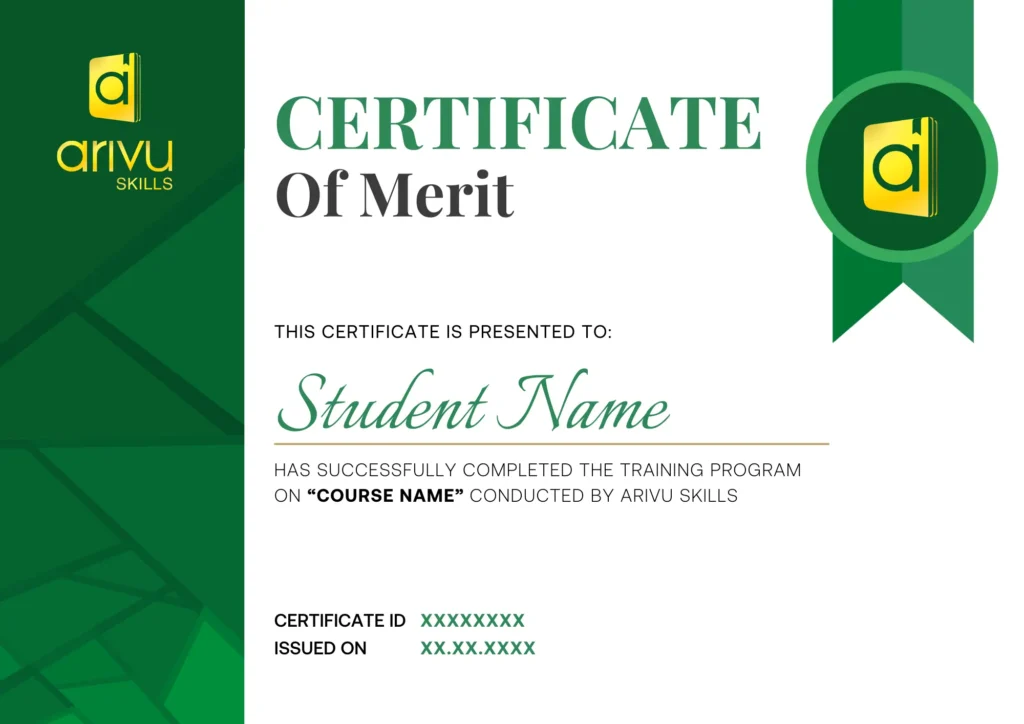
Data Analytics Course Certificate
Skills Covered
- Advanced Excel
- Power BI
- Tableau
- Python
- SQL
Tools Covered
















Data Analytics Certification Course in Chennai FAQ
1. What is a Data Analytics course?
A Data Analytics course equips you with the skills to collect, analyze, and interpret data to drive smarter business decisions.
2. Who is eligible to enroll in a Data Analytics course?
A Data Analytics course is suitable for a diverse range of learners — fresh graduates from any stream, IT professionals seeking to upskill, non-IT professionals looking for a career switch, and business owners wanting to leverage data for growth. No prior programming or statistics experience is mandatory, as most courses are structured to take you from beginner to job-ready level.
3. What topics and tools are covered in a Data Analytics course?
A comprehensive Data Analytics course typically covers Python, SQL, Microsoft Excel, Power BI, Tableau, Statistics, Data Wrangling, Exploratory Data Analysis (EDA), Data Visualization, and basics of Machine Learning. Advanced programs may also include tools like Google Data Studio, BigQuery, and cloud-based analytics platforms
4. What job roles can I pursue after completing a Data Analytics course?
IT and manufacturing sectors offer a wide array of career opportunities for data analytics professionals. After completing the course, you can apply for roles such as Data Analyst, Business Analyst, BI Developer, Reporting Analyst, MIS Executive, Product Analyst, and Marketing Analyst in companies across IT, BFSI, automobile, healthcare, and e-commerce industries actively hiring.
5. What is the average salary of a Data Analyst?
Companies offers highly competitive salaries for data analytics professionals. Fresh graduates can expect starting packages ranging from ₹3.5 to ₹6 LPA, while professionals with 2–4 years of experience can earn between ₹7 to ₹14 LPA. Senior-level data analysts with expertise in advanced tools, machine learning, or domain-specific analytics can command salaries of ₹18 LPA and above in growing tech market.
6. Why should I choose Arivu Skills for a Data Analytics course?
Arivu Skills is a trusted name in professional training, known for delivering industry-aligned Data Analytics programs that go beyond theory. With experienced trainers who bring real-world corporate exposure, a hands-on project-based curriculum, and a strong placement network, Arivu Skills ensures that every student in is thoroughly prepared to meet the demands of today’s competitive data job market.
7. Does Arivu Skills offer flexible batch timings for students and working professionals
Yes, Arivu Skills understands the diverse schedules of learners and offers multiple batch options including weekday morning batches, weekend batches, and live online sessions. Whether you are a college student, a working IT professional, or a career switcher, Arivu Skills has a batch format that fits seamlessly into your routine without compromising learning quality.
8. What type of real-time projects and hands-on training does Arivu Skills provide in its Data Analytics course?
Arivu Skills places a strong emphasis on practical, application-based learning. Students work on real-time projects using actual industry datasets across domains like retail, finance, healthcare, and e-commerce. These projects are designed to simulate real workplace scenarios, helping students build a strong portfolio that impresses recruiters and stands out during job interviews.
9. Does Arivu Skills provide placement support after completing the Data Analytics course?
Absolutely. Arivu Skills offers end-to-end placement assistance to all its Data Analytics students. This includes professional resume building, LinkedIn profile optimization, aptitude and technical mock interviews, soft skills training, and direct referrals to its wide network of hiring partners. The dedicated placement team works tirelessly to connect skilled graduates with top companies actively recruiting data talent.
10. What certification will I receive after completing the Data Analytics course at Arivu Skills?
Upon successfully completing the Data Analytics course and clearing all assessments at Arivu Skills, students are awarded an industry-recognized course completion certificate. This certification is valued by recruiters across India, serving as a strong validation of your analytical skills and significantly enhancing your credibility and employability in the data analytics job market.
Distinctions and Achievements
Explore the milestones of our journey!

Best Skill Learning Institute of the Year
The Education Excellence Award by Brands Impact
Edutech Company of the Year
The Education Awards by The Corporate Titan

Institute with the Best Placement
The Education Awards by Mantra
People also viewed courses like
Data Analytics Course in Other Cities
Bangalore (Offline + Live- Online Class)
Chennai (Live - Online Class)
Coimbatore (Live - Online Class)
This course has served
5+
In-Demand Tools
3 Months
Structured Program
100%
Hands-On Training
IBM
Certification Included
Projects
Real-Time Capstone
Drop a Query
